

Choosing the right Practice Management System (PMS) for your practice is not as simple as picking the one with the most features because dental clinics rarely have uniform workflows and administrative needs. Without properly scrutinizing the available options, you could end up paying for functions that you or your team rarely use. Worse, you might discover that the software doesn’t support a critical part of your current workflow.
The importance of having the right administrative tools becomes more apparent when you consider the staffing needs of dental practices. According to the American Dental Association’s Health Policy Institute, 28.4% of dentists surveyed in the first quarter of 2025 reported recruiting administrative staff within the previous three months. With dental offices continuing to invest in administrative support, it’s equally important that the systems their employees use can accommodate the responsibilities they’re expected to handle.
For these reasons, it’s important that you invest in the right PMS for your practice. But with the multiple system options to choose from, picking the right one is easier said than done. So how do you do it right the first time?
In this article, let’s go over the nine most trusted dental software list and discuss what each of them is capable of and for which practice they are most suitable.
What Is Dental Practice Management Software?
Every patient comes with their own set of relevant information, and if your dental practice is dealing with a lot of patients, think about how much patient data you have to deal with. Beyond their personal details, there are also records of their previous appointments, treatments, and any outstanding payments. With this much information, retrieving the one you need from different programs can be an inconvenience, especially given how fast-paced most dental practices are.
This is where having a PMS becomes compelling. A practice management system is a program that helps you organize much of the patient data your daily operations depend on.
What to Consider When Choosing Dental Practice Management Software
- Cloud or Server-Based
- Software Compatibility
- Practice Size & Growth
- Pricing & Fees
- Essential Features
- Security & Accessibility
9 Dental Practice Management Software Options Compared
There are different dental practice software platforms available in the United States, but not all of them are designed for the same type of dental office. This is why comparing dental practice management software should be more than just looking at which one offers the most number of features.
Some have been around for decades and continue to use traditional server-based systems. Others were developed specifically for cloud access, which may be more convenient if your practice operates in multiple locations.
1. Dentrix
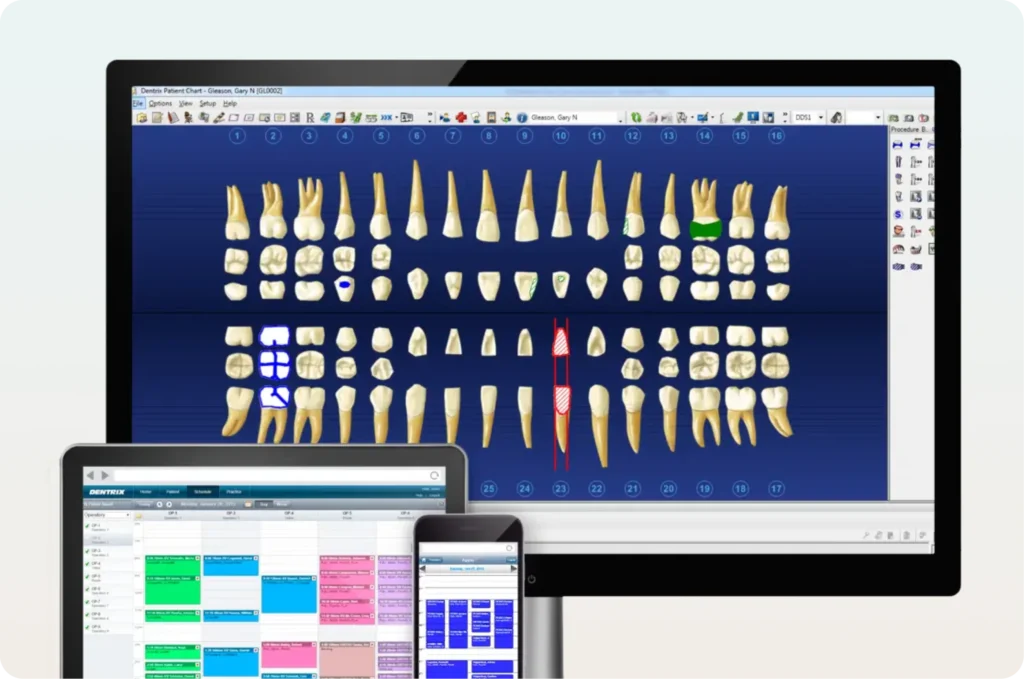
Image Credit: Dentrix
Dentrix is one of the more established dental practice management systems in the United States. Developed by Henry Schein One, it’s a server-based platform that dental offices can use to manage patient information, appointments, and billing-related responsibilities.
Apart from the aforementioned functionalities, Dentrix can also help you with clinical charting, allowing you to document procedures and keep track of your patients’ treatment histories in a more streamlined manner. The software can be integrated with other Henry Schein One solutions such as tools for communicating with patients and practice analytics.
Another thing to keep in mind is that some of its additional capabilities are offered through separate products. While these may help your practice manage more responsibilities, you’ll need to determine which services are included in your subscription and whether the additional costs are justified by your practice’s needs.
Best suited for: Established dental practices that prefer a server-based system with access to additional solutions from Henry Schein One.
Pricing: Available upon request.
2. Eaglesoft
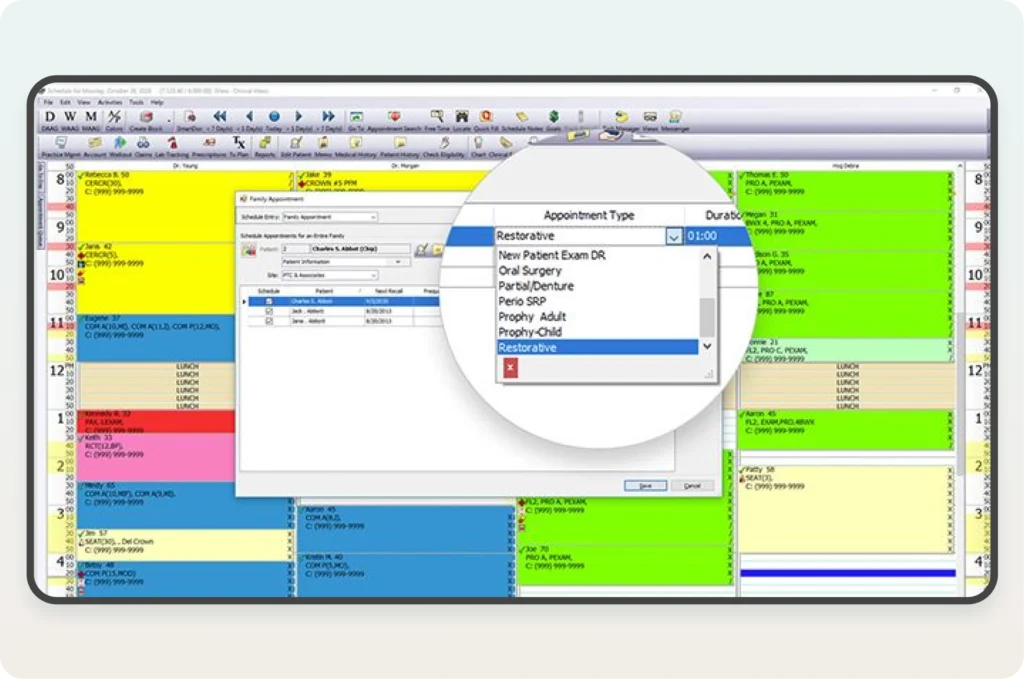
Image Credit: Eaglesoft
Developed by Patterson Dental, Eaglesoft is another server-based PMS option. While it is capable of doing many of the same administrative tasks as Dentrix, one of its notable features is a detailed patient accounting function.
Eaglesoft uses a line-item accounting system that allows your team to apply payments to specific charges rather than just an overall patient account balance. This can be helpful when a patient has undergone multiple procedures, allowing your billing staff to determine which services have already been paid for and which ones still have outstanding balances.
Apart from its accounting capabilities, Eaglesoft also supports clinical charting and digital imaging. If your practice already uses imaging equipment supplied by Patterson, you may want to determine whether Eaglesoft can work with your current setup instead of purchasing additional software.
Best suited for: Dental practices that prefer server-based software with detailed patient accounting and imaging capabilities.
Pricing: Contact Patterson Dental for a quotation.
3. Open Dental
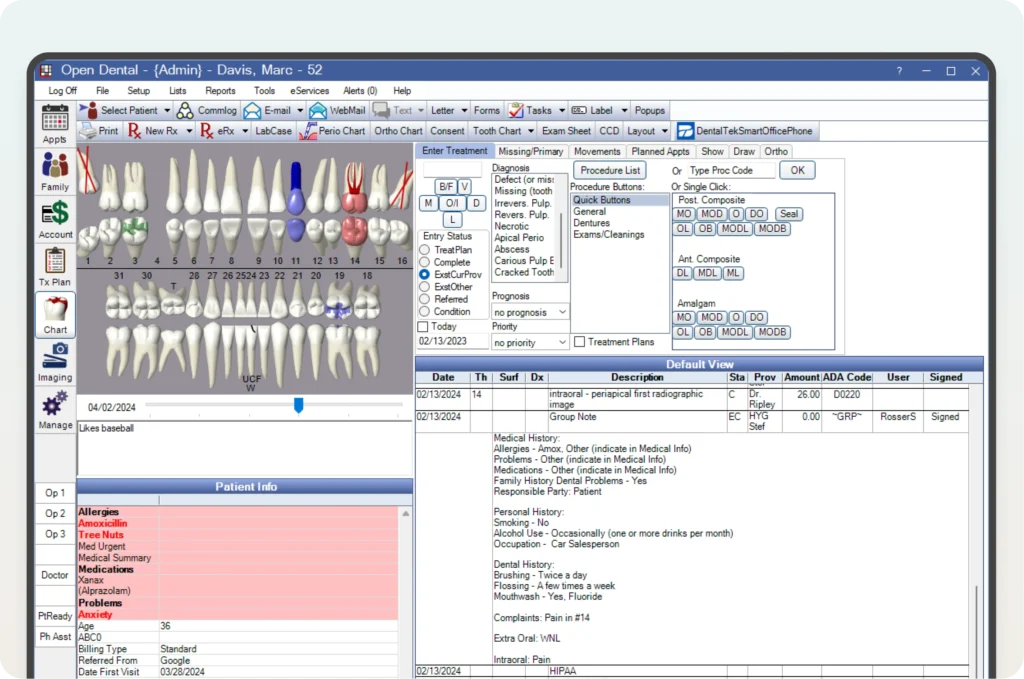
Image Credit: OpenDental
Open Dental is an open-source dental practice management system, which means its source code is publicly accessible and can be modified. While this may not necessarily matter to most dental practitioners, it gives developers more flexibility to customize the software according to a practice’s requirements.
One of the main advantages of Open Dental is that it is compatible with a wider range of third-party applications. More often than not, dental offices use different programs for imaging, communicating with patients, and other administrative tasks. If you have a PMS that supports these integrations, you can avoid costly software replacements and staff retraining.
Apart from its integration capabilities, Open Dental also provides tools for clinical charting, appointment scheduling, and insurance billing. However, the features and integrations available to your practice may depend on whether you choose its self-hosted or cloud-based arrangement, so it’s important to understand the differences between the two.
Unlike many dental PMS providers that require you to request a quotation, Open Dental publishes its standard software support fees, starting at $199 per month per U.S. location for the first 12 months. Moreover, having additional providers and services may increase the cost.
Best suited for: Dental practices that prioritize third-party integrations and want access to published software pricing.
Pricing: Starts at $199 per month per U.S. location for the first 12 months under its standard self-hosted arrangement.
4. Dentrix Ascend
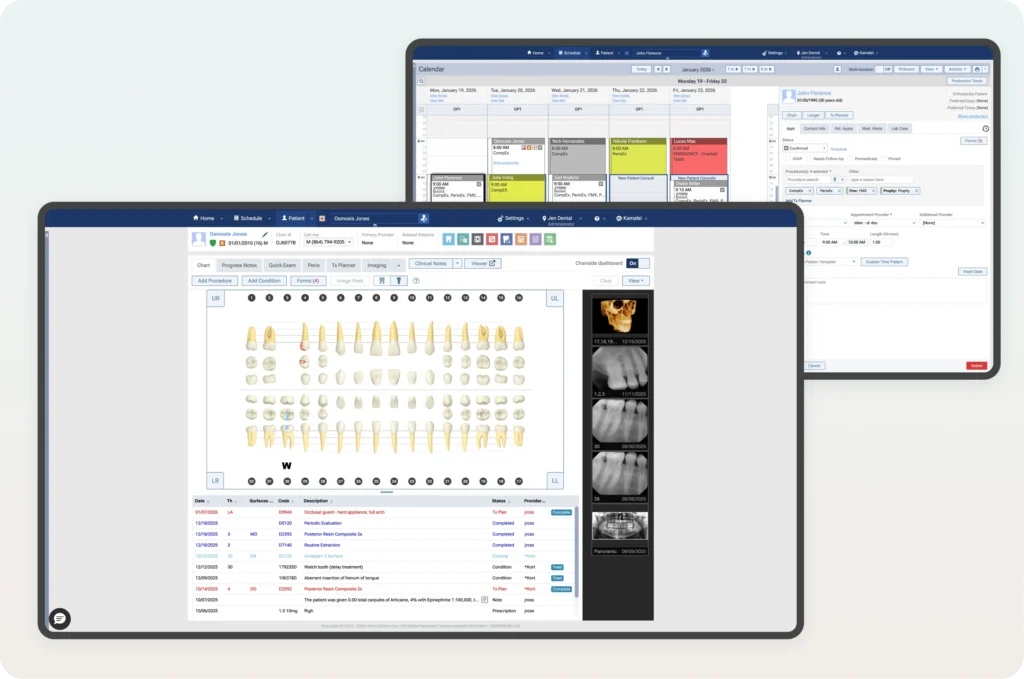
Image Credit: Dentrix Ascend
Dentrix Ascend is another practice management system developed by Henry Schein One. But unlike traditional Dentrix, it operates on a cloud-server basis, removing the need for your practice to maintain a conventional local server.
Apart from routine administrative tasks, this PMS option gives you access to reporting tools you can use to monitor operations. However, one of the main reasons to consider Dentrix Ascend is its different subscription packages, each designed for practices of varying sizes.
Dentrix Ascend’s Essentials package covers the fundamental responsibilities involved in running a dental office. On the other hand, the Pro and Accelerate packages include additional functionalities for more advanced automation and multi-location management requirements. For these reasons, Dentrix Ascend is worth considering if you’re planning to expand your dental practice and want a system that can accommodate your changing administrative needs.
The differences between the three packages are more than just how much they cost. Some of the functions that bigger practices often need are only available in the more expensive plans, which means you might have to upgrade your subscription as your practice grows.
Best suited for: Dental practices that want cloud-based software with options for managing multiple locations.
Pricing: Available upon request.
5. Curve Dental
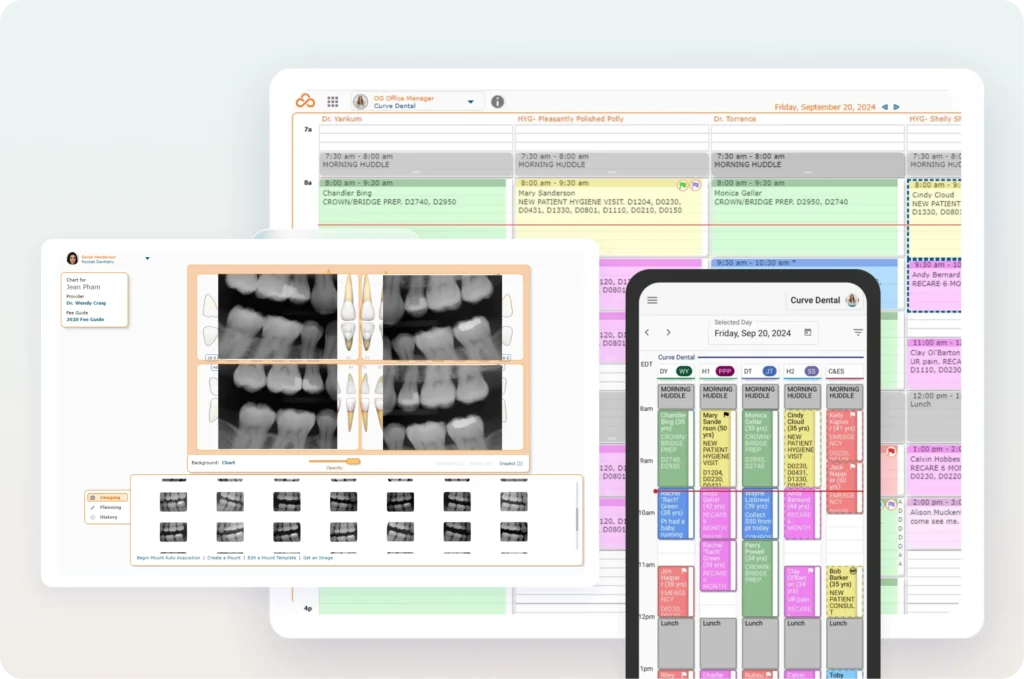
Image Credit: CurveDental
A cloud-based dental PMS option, Curve Dental combines clinical and administrative functionalities with those for patient communication and digital imaging. While most systems offer tools that let you manage appointments and patient records, Curve Dental is worth your consideration if you want to manage how your practice communicates with patients.
Through Curve GRO, dental offices can send automated appointment reminders and communicate with patients using two-way text messaging. The platform also supports online scheduling, allowing patients to book certain appointments without having to contact your front desk directly.
If your staff spends a significant amount of time responding to inquiries from patients or following up with them, these capabilities could be very useful, giving your team more time for patient care or more pressing communication tasks.
Apart from communication, Curve Dental also has its own imaging system, which means you can view your patients’ X-rays without needing a separate program. However, not all of Curve Dental’s subscription packages include the same imaging features, and depending on the package you go with, some functionalities may require you to upgrade to a more expensive plan.
Best suited for: Dental practices looking for cloud-based software with patient communication and imaging capabilities.
Pricing: Contact Curve Dental for package pricing.
6. Denticon
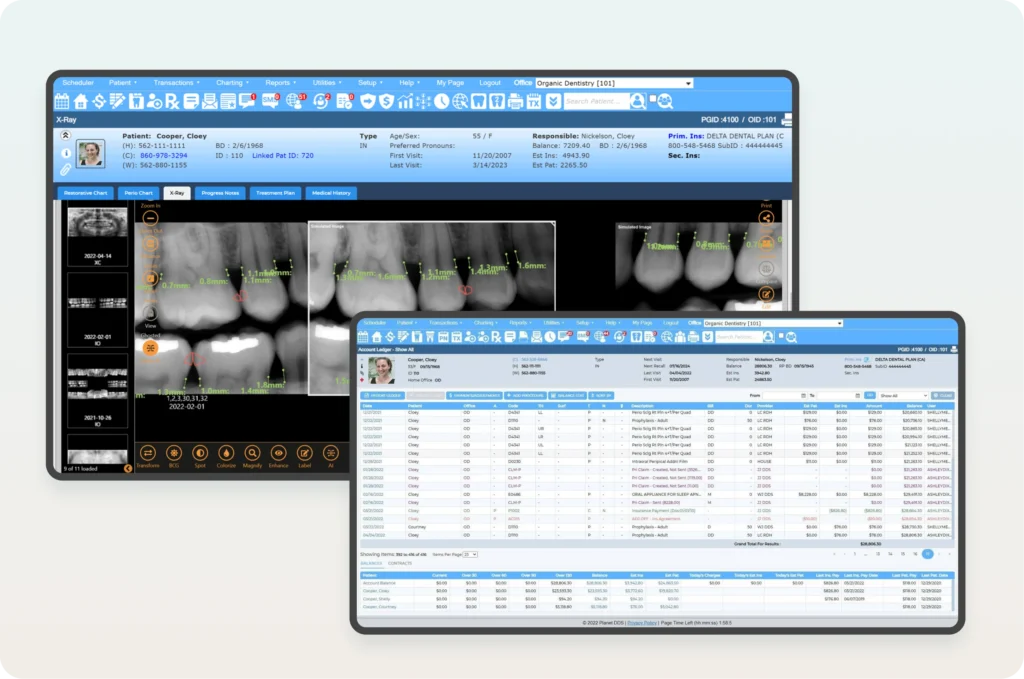
Image Credit: PlanetDDS
Denticon is a cloud-based dental practice management system developed by Planet DDS. Although it can be used by individual dental offices, many of its capabilities are particularly relevant to dental organizations that operate several practice locations.
When you’re managing multiple dental offices, you’re also likely maintaining separate appointment schedules and patient records, which can be very tedious and have higher risks for error. Denticon resolves this by letting you or an authorized staff member access this information through a centralized approach. Moreover, it also provides reporting functionalities that you can use to review operations across multiple locations without needing to collect separate records and consolidate them afterward.
Denticon’s centralized model can make a considerable difference in how you manage multiple operations. However, you’ll still need to determine whether the software supports how responsibilities are distributed across your clinics.
Best suited for: Multi-location dental groups and DSOs that need centralized practice management and reporting.
Pricing: Starts at $795 per month, with customizable packages and additional services available.
7. CareStack
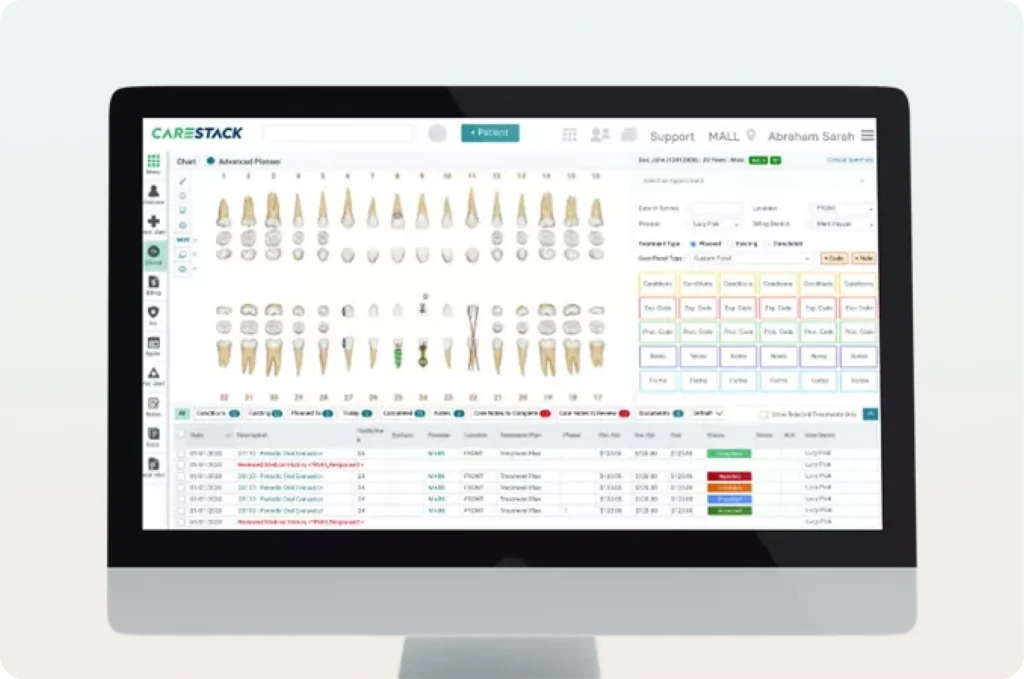
Image Credit: Carestack
CareStack is a cloud-based dental practice management system that offers both clinical operation functionalities and billing capabilities. While other PMS options do offer both, CareStack is worth considering if you want to manage more of your revenue cycle through the same system.
If you are currently using separate programs for patient records and insurance billing, switching between them just to process a claim can be both time-consuming and inconvenient. CareStack brings these functions into one system so you no longer need to juggle two systems. However, you’ll still need to evaluate CareStack’s compatibility with the specifics of your billing processes, especially if you regularly deal with complex insurance requirements.
If your practice needs a separate revenue cycle management system, CareStack also offers that additional billing support. But because these services may involve additional expenses, you should first distinguish between the functions included in the software itself and the responsibilities that can be outsourced to CareStack’s team.
Best suited for: Dental practices that want to manage clinical operations and revenue cycle responsibilities through the same cloud-based platform.
Pricing: Contact CareStack for current subscription and service pricing.
8. tab32
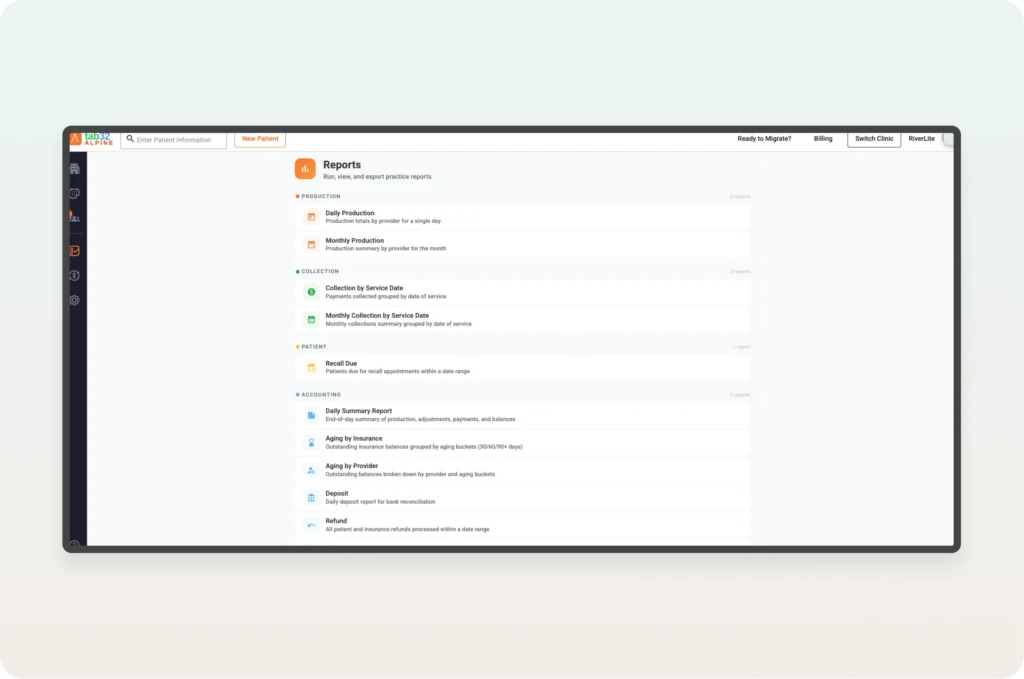
Image Credit: tab32
tab32 is a cloud-based dental practice management system that provides tools for appointment scheduling, clinical charting, and insurance billing. Dental offices can also use tab32 for digital imaging and communicating with patients. This means your staff won’t necessarily have to rely on separate programs for these responsibilities, provided that the functions included in your subscription meet your practice’s needs.
One of the reasons tab32 may be worth considering is its published subscription pricing, which isn’t something that every dental PMS provider offers. This can make it easier for practice owners to estimate software expenses before requesting a demonstration or speaking with a sales representative.
For dental practices with a smaller patient volume, tab32 offers its Alpine package designed for solo practitioners and private practices, which starts at $125 per month for the first year. However, that’s not necessarily what you’ll end up paying because some services, such as insurance-related functions, are charged separately. Apart from Alpine, tab32 also offers its Summit package for dental practices that need a centralized way to run reports and manage multiple locations.
The two packages cater to different types of dental practices, so comparing their subscription prices alone wouldn’t give you an accurate picture of which one offers better value. You also have to consider the features included in each package and whether your practice actually needs them.
Best suited for: Solo dentists and smaller dental practices that prefer cloud-based software with published starting prices.
Pricing: Alpine starts at $125 per month, while Summit requires a customized quotation.
9. DentiMax
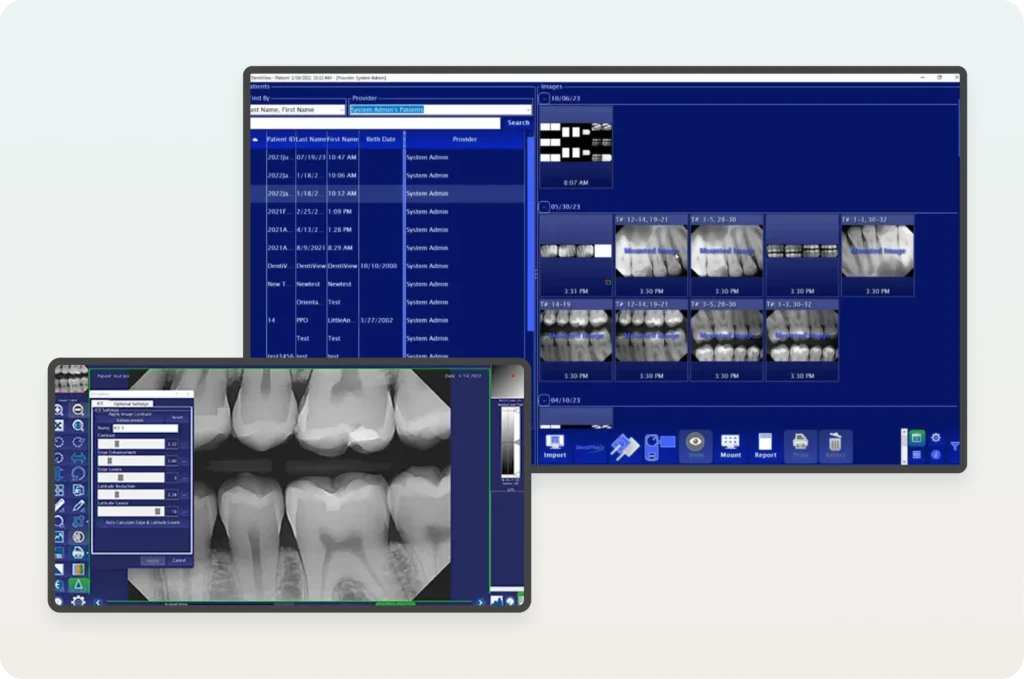
Image Credit: DentiMax, EMRfinder
As a dental software provider, DentiMax supplies dental X-ray sensors and imaging products on top of its web-based practice management system, DentiMax Flow, making it worth considering if you are planning to update both systems.
DentiMax Flow provides you and your team access to tools for everyday administrative tasks like appointment scheduling, records management, and billing. However, what makes the vendor’s offering unique is that these tools can be used alongside imaging solutions, letting you view and manage clinical information without needing another system.
If your practice already has existing imaging equipment, you may not need to replace it entirely because DentiMax supports third-party imaging systems. However, you would still need to confirm whether or not it is compatible because there are a few systems that DentiMax doesn’t support.
Best suited for: Dental practices considering a web-based PMS alongside integrated imaging solutions.
Pricing: DentiMax Flow starts at $499 per month, with higher-tier packages available.
Dental Practice Management Software: Quick Comparison
To give you a better idea of how these nine platforms compare, the table below summarizes their main differences, including how they’re deployed, what distinguishes them from other PMS options, and their published starting prices where available.
| Software | Deployment | Main Advantage | Starting Price |
| Dentrix | Server-based | Access to Henry Schein One’s software ecosystem | Upon request |
| Eaglesoft | Server-based | Detailed patient accounting | Upon request |
| Open Dental | Self-hosted, with hosting options | Third-party integrations and open-source flexibility | $199/month |
| Dentrix Ascend | Cloud-based | Subscription packages for different practice needs | Upon request |
| Curve Dental | Cloud-based | Patient communication and integrated imaging | Upon request |
| Denticon | Cloud-based | Centralized multi-location management | $795/month |
| CareStack | Cloud-based | Billing and revenue cycle management | Upon request |
| tab32 | Cloud-based | Published subscription pricing | $125/month |
| DentiMax | Web-based | Practice management and imaging solutions | $499/month |
Note: Starting prices are based on the subscription information discussed in this article and may exclude additional services, transaction fees, implementation costs, and other charges.
Which Dental Practice Management Software Should You Choose?
Ultimately, the best dental PMS for your practice will depend on your administrative needs, existing equipment, and how much you’re willing to spend. While all nine platforms we’ve discussed offer tools for managing dental operations, their differences become more apparent when you consider what your practice actually needs from the software.
| Which Dental Practice Management Software Should You Choose? | |
| Prefer a Traditional Server-Based System? | Dentrix or Eaglesoft Dentrix offers access to Henry Schein One’s software ecosystem, while Eaglesoft provides detailed patient accounting capabilities. |
| Need Flexibility With Third-Party Integrations? | Open Dental An open-source PMS that supports integrations with other software used in dental practices. |
| Prioritizing Patient Communication? | Curve Dental Offers automated appointment reminders, two-way messaging, and online scheduling through its patient communication tools. |
| Managing Multiple Practice Locations? | Denticon or Dentrix Ascend Denticon supports centralized management across locations, while Dentrix Ascend offers cloud-based packages for practices with different operational needs. |
| Want More Billing Functions in One Platform? | CareStack Combines clinical and administrative tools with billing and revenue cycle management capabilities. |
| Managing a Smaller Dental Practice? | tab32 Offers cloud-based practice management tools, with an Alpine package designed for solo practitioners and smaller dental offices. |
| Want Integrated Dental Imaging? | DentiMax Offers practice management software alongside dental imaging solutions, with support for compatible third-party imaging systems. |
For instance, Dentrix and Eaglesoft may be suitable if you prefer a traditional server-based arrangement, while Open Dental is worth considering if third-party integrations are among your priorities. If you’re interested in cloud-based systems, Dentrix Ascend and Curve Dental offer different options depending on whether you’re more concerned about multi-location management or patient communication.
For larger dental organizations, Denticon provides capabilities intended for managing several practice locations, while CareStack may be worth examining if you want to manage more of your billing and revenue cycle responsibilities through the same platform. Meanwhile, tab32 offers published starting prices that may appeal to smaller dental offices, and DentiMax is another option if you’re planning to update your imaging setup alongside your PMS.
However, you don’t necessarily have to make your decision based on the features advertised on each vendor’s website. Once you’ve narrowed down your options, consider requesting software demonstrations and involving the staff members who will be using the system regularly, since they’ll be in a better position to determine whether the platform can accommodate their daily responsibilities.
Apart from your in-person staff, you should also consider whether the software can be used by dental virtual assistants (VAs), especially if your practice already employs remote administrative support like virtual dental receptionists or plans to do so, because having a PMS that supports your preferred work arrangement can make it easier to distribute administrative responsibilities without requiring every employee to work from your dental office.
Make Managing Your Dental Practice Easier
Having the right dental practice management software can help you organize your operations, but your staff will still need to handle the administrative responsibilities involved in running your practice. From scheduling appointments to verifying insurance coverage, these tasks can take up a considerable amount of time, especially if your dental office handles a high volume of patients.
If you’re looking for additional administrative support, My Mountain Mover can help you find a dental virtual assistant with experience handling the responsibilities you want to delegate. Our VAs can work with your practice’s existing systems, subject to the appropriate training and access permissions, allowing your in-person staff to spend more time attending to patients.
Book a 10-minute discovery call today to learn how My Mountain Mover can help you find the right dental VA for your practice.

Frequently Asked Questions
How Much Does Dental Practice Management Software Cost?
The cost of dental practice management software depends on the vendor, the subscription package, and the number of providers or locations that will be using it. Some platforms publish their starting prices, while others require you to request a customized quotation based on your practice’s requirements.
Can You Transfer Patient Records From One Dental PMS to Another?
Most established dental PMS providers offer some form of data migration assistance, but the information that can be transferred will depend on your existing software and the platform you’re moving to. For instance, certain clinical notes, imaging files, or historical records may require additional conversion work or may not transfer completely.
Is Cloud-Based Dental Practice Management Software HIPAA-Compliant?
Cloud-based dental PMS platforms can support HIPAA compliance, but using one doesn’t automatically make your practice compliant. You’ll still need to verify the vendor’s security safeguards, determine whether a Business Associate Agreement is required, and maintain appropriate procedures for protecting patient information.